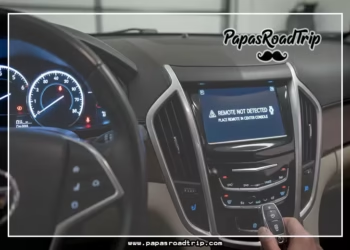


Is your Hyundai Blue Link not activating when you try to set it up? You’re not alone, and it can be frustrating when this smart feature won’t connect.
Blue Link is designed to make your driving easier and safer, but if it doesn’t activate, you lose access to important services like remote start, vehicle tracking, and emergency assistance. The good news is that most activation issues have simple fixes that you can handle yourself.
You’ll learn step-by-step solutions to get your Blue Link up and running quickly—so you can enjoy all the benefits your Hyundai offers without delay. Keep reading to solve the problem and take full control of your vehicle’s connected features today.
Common Activation Issues
Hyundai Blue Link may fail to activate due to several common issues. These problems often block the connection between your vehicle and the Blue Link service. Identifying these issues early helps you fix the problem faster. Below are some typical causes that prevent activation.
Telematics Control Unit Problems
The telematics control unit (TCU) is the heart of Blue Link activation. If the TCU is damaged or malfunctioning, the system cannot connect. Sometimes, a reset or repair of the TCU is necessary. A faulty TCU may show error messages or no response at all.
Sim Card And Subscription Status
The Blue Link system uses a SIM card to communicate with cellular networks. A missing or inactive SIM card stops activation. Also, an expired or unpaid subscription will block service access. Checking the SIM card and subscription status ensures the connection is valid.
Software Update Requirements
Outdated software can cause Blue Link to fail during activation. Hyundai releases updates to fix bugs and improve performance. Your vehicle may need the latest software installed at the dealership. Regular updates keep the system running smoothly.
Cellular Signal Strength
Blue Link requires a strong cellular signal to activate properly. Poor signal areas prevent the system from communicating with servers. Parking the vehicle in an open area with better reception may help. Signal strength affects the speed and success of activation.

Credit: www.reddit.com
Activation Steps
Activating Hyundai Blue Link requires a few simple steps. Each step ensures your vehicle connects properly to the service. Follow this guide to activate your Blue Link and enjoy its features.
Creating A Myhyundai Account
Visit the MyHyundai website or download the MyHyundai app. Create a new account using your email and basic information. If you already have an account, just log in. This account lets you manage your vehicle and Blue Link services easily.
Adding Your Vehicle Using Vin
After logging in, find the option to add a vehicle. Enter your Vehicle Identification Number (VIN) carefully. The VIN is a 17-character code unique to your car. Adding your VIN links your vehicle to your MyHyundai account.
In-vehicle Activation Process
Turn on your vehicle and go to the main menu. Select “Settings,” then “Blue Link Settings.” Choose “Service Activation” to start the process. Agree to the terms and privacy policy to continue. Follow on-screen prompts to complete activation inside your car.
Using The Blue Link App
Open the Blue Link app on your phone. Log in with your MyHyundai account details. The app will guide you to activate your service remotely. Enter any required codes sent to your vehicle. The app also helps manage your Blue Link features after activation.
Quick Troubleshooting Tips
Experiencing issues with Hyundai Blue Link not activating can be frustrating. Use quick troubleshooting tips to identify and solve common problems fast. These simple steps help restore connection without delay. Follow the guide below to get your Blue Link system running smoothly again.
Checking Subscription Status
Confirm your Blue Link subscription is active and paid. Visit the official Hyundai Blue Link website or app. Log in with your account details. Look for subscription status under your vehicle profile. An expired or inactive subscription stops the service from working. Renew or activate your plan if needed.
Verifying Cellular Connection
Check the vehicle’s cellular signal strength. Blue Link requires a strong mobile network to function. Park your car in an open area for better reception. Avoid underground garages or remote locations with weak signals. If the signal is poor, the system may fail to activate.
Resetting Blue Link System
Resetting can fix minor software glitches. Turn off the vehicle completely. Open the driver’s door and wait for five minutes. Close the door and restart the car. This reboot refreshes the Blue Link system and clears temporary errors.
Restarting Vehicle Infotainment
Sometimes, the infotainment system needs a restart. Press and hold the power button on the display screen for about 10 seconds. The screen will turn off and reboot. This action often restores Blue Link functions without affecting other settings.

Credit: www.reddit.com
Resetting Blue Link
Resetting Blue Link can fix many activation problems quickly. This process refreshes the system without deleting your data. It often resolves connection issues and gets Blue Link working again. There are simple ways to reset Blue Link that you can try at home.
Follow the steps below to perform different reset methods. Each method has its own use depending on the problem. If these do not help, professional support might be needed.
Soft Reset With Buttons
Locate the Blue Link or infotainment control buttons on your dashboard. Press and hold the power button and the volume button together. Keep holding them for about 10 seconds. Release the buttons when the screen turns off and restarts. This soft reset refreshes the system’s software. It can clear minor glitches and restore normal function.
Power Cycle Method
Turn off your Hyundai and open the driver’s door. Leave the car off for at least five minutes. This allows the vehicle’s systems to fully shut down. Close the door and start the car again. The power cycle resets the telematics control unit and network connection. It may fix network or SIM card activation issues.
When To Contact Dealer
If Blue Link still does not activate after resets, contact your Hyundai dealer. Some problems need specialized tools and software updates. The dealer can check the telematics control unit and SIM card status. They can also verify your Blue Link subscription and update vehicle software. Early dealer support prevents longer delays in activation.
Activation Timing And Support
Activation timing and support play a key role in getting Hyundai Blue Link up and running smoothly. Understanding how long activation takes and where to get help can save time and reduce frustration. Support options range from online tools to dealership assistance and customer service contacts.
Typical Activation Duration
Hyundai Blue Link activation usually takes a few minutes to several hours. The exact time depends on the vehicle model and network status. Sometimes, the system requires a short waiting period to sync with servers. Users should keep the vehicle in an area with strong cellular signal. Activation may complete faster if all setup steps are followed carefully.
In-dealership Enrollment
Some buyers prefer to enroll in Blue Link directly at the dealership. This method guarantees expert guidance during setup. Dealers can check the vehicle’s telematics unit and update software if needed. Enrollment at the dealership also ensures all subscription details are correct. This option is helpful for those who want a quick and hassle-free start.
Contacting Hyundai Support
Hyundai offers multiple ways to get help with Blue Link activation. Customers can call the official support line for direct assistance. Online chat and email support are also available for convenience. Support staff can verify account status, fix technical issues, and guide users through activation steps. Having vehicle information like VIN ready speeds up the process.
Frequently Asked Questions
Why Is My Car Not Connecting To Bluelink?
Your car may not connect to Blue Link due to inactive SIM card, outdated software, weak cellular signal, or inactive subscription. Verify TCU status and update software at a dealer to resolve connection issues.
How Long Does The Hyundai Blue Link Take To Activate?
Hyundai Blue Link activation typically takes a few minutes after registering your vehicle and entering the verification code. Complete in-vehicle prompts or app steps to finish activation. Ensure your MyHyundai account and subscription are active for seamless service start.
How To Activate Hyundai Blue Link?
Create a MyHyundai account online or via the app. Add your vehicle using the VIN. Follow in-car prompts under Settings > Blue Link > Service Activation. Enter the verification code shown on your infotainment screen to complete activation.
How Do You Reset The Bluelink On A Hyundai?
To reset Bluelink on a Hyundai, go to Settings on the infotainment screen. Select Bluelink Settings, then Service Activation. Follow prompts to agree to terms and complete the reset. Ensure your vehicle’s software is updated and your Blue Link subscription is active.
Why Is Hyundai Blue Link Not Activating In My Vehicle?
Check your vehicle’s telematics unit, SIM card activation, and software updates for proper Blue Link activation.
Conclusion
Troubles with Hyundai Blue Link activation can be frustrating. Check your vehicle’s software and subscription status first. Ensure your SIM card is active and your car has good signal. Use the MyHyundai app or website to complete activation steps. Following these simple checks helps restore your Blue Link service quickly.
Stay patient and follow each instruction carefully. That way, you can enjoy your vehicle’s connected features without delay.