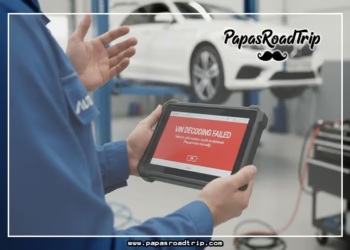


Are you frustrated because the NCS Expert tool keeps telling you that your VIN is faulty? You’re not alone.
Many vehicle owners face this confusing issue, especially when trying to access important vehicle information or perform diagnostics. But why does this happen, and what can you do about it? You’ll discover the common reasons behind a faulty VIN message in NCS Expert and learn simple steps to fix it.
Don’t let a small error keep you from getting the answers you need—read on to clear up the confusion and get your VIN working correctly.
Common Vin Errors
Vehicle Identification Numbers (VINs) are vital for vehicle tracking and history. Errors in VINs cause many issues with systems like NCS Expert. These mistakes lead to invalid VIN messages or failed data retrieval.
Understanding common VIN errors helps avoid these problems. Many errors happen due to simple mistakes or system limits. Recognizing these helps you correct VIN inputs or identify deeper vehicle issues.
Typos And Mistaken Characters
Typos are the most frequent cause of faulty VIN entries. A single wrong digit or letter can invalidate the entire VIN. Some characters look alike, such as “1” and “I” or “0” and “O”.
Users often confuse these characters when typing VINs manually. Double-check each character against the physical VIN plate. This step prevents errors and improves system accuracy.
Illegal Letters In Vin
VINs exclude certain letters to prevent confusion. The letters “I,” “O,” and “Q” never appear in VINs. These letters resemble numbers and cause misreads.
Including these illegal characters results in an invalid VIN error. Always verify that your VIN contains only allowed letters and numbers. This check avoids system rejections and errors.
New Model Year Gaps
New car models sometimes have VINs missing from databases. Systems like NCS Expert may not recognize the latest model year VINs yet. This gap causes errors even when the VIN is correct.
Patience helps here, as databases update over time. For brand new vehicles, wait for official database updates or use manufacturer resources. This approach reduces false invalid VIN errors.
Database Limitations
VIN errors also arise from database limits. Some systems cover only specific vehicle types or markets. For example, a US VIN might not be valid in a European-only database.
Check your VIN against the correct system or database. Using the right source improves accuracy and avoids mismatched VIN errors. Knowing database coverage avoids confusion and frustration.

Credit: www.reddit.com
Vehicle-related Vin Issues
Vehicle-related VIN issues often cause errors in systems like NCS Expert. These problems can prevent proper vehicle identification and diagnostics. Understanding common VIN problems helps users resolve errors quickly. Some issues arise from the vehicle’s history or physical condition. Others come from tampering or incorrect data entry. Below are key vehicle-related VIN issues to consider.
Stolen Or Cloned Vehicles
Stolen vehicles often have altered or duplicated VINs. Cloning means copying a valid VIN from another car. This hides the true identity of the stolen vehicle. Such VINs cause errors in databases and diagnostic tools. Authorities and buyers must watch for signs of cloning.
Vin Swaps And Tampering
VIN swapping involves replacing a vehicle’s original VIN with another. Tampering can include scratching or altering the VIN plate. These acts aim to hide the car’s real history. VIN tampering leads to invalid or conflicting VIN data. This confuses vehicle software like NCS Expert.
Mixed Parts Vehicles
Vehicles built with parts from multiple cars may have conflicting VIN information. Mixed parts can cause confusion in vehicle identification. The VIN may not match all components. Diagnostic tools can show errors or faulty readings. This impacts repairs and maintenance accuracy.
Scrapped Or Salvaged Status
Vehicles declared scrapped or salvaged often have invalid VINs in official records. These cars may show errors when scanned. Systems may reject their VINs due to status flags. This can cause trouble during registration or servicing. Proper checks help avoid these issues.
Dashboard Replacement Effects
VIN plates are usually on the dashboard or door frame. Replacing a dashboard can change or remove the VIN plate. This leads to missing or incorrect VIN data. Diagnostic software may mark the VIN as faulty. Ensuring the VIN plate is correctly reinstalled prevents errors.
Locating Your Vin
Finding your Vehicle Identification Number (VIN) is the first step in resolving issues with the NCS Expert VIN errors. Your VIN is a unique code that identifies your car. It helps systems recognize your vehicle’s details. Knowing where to find it saves time and avoids mistakes.
Physical Vin Plate Locations
The VIN plate is usually fixed on the driver’s side. Look on the dashboard near the windshield. You can see it from outside the car. Another common spot is on the driver’s side door jamb. Open the door and check the frame or the door edge. Some vehicles may also have the VIN inside the engine bay or under the hood. Check your owner’s manual if you cannot find it.
Verifying Vin Against Documents
Compare the VIN on the car with the one on your documents. Look at your registration, insurance card, or title. The numbers and letters must match exactly. Check carefully for characters like “I”, “O”, or “Q”. These do not appear in VINs and may cause errors. Confirming the VIN helps avoid input mistakes and system mismatches. This step ensures your VIN is valid and accepted by the NCS Expert software.
Credit: www.e46fanatics.com
Fixes For Faulty Vins
Fixing a faulty VIN in NCS Expert requires simple and careful steps. A wrong VIN stops you from accessing vital vehicle data. This section guides you through easy methods to correct faulty VIN issues. These fixes help avoid errors and save time.
Manual Vin Verification
Start by checking the VIN physically on the vehicle. Look at the driver’s side dashboard or door jamb. Compare the characters carefully with what you entered. Ensure every letter and number matches exactly. This step prevents common mistakes from wrong VIN input.
Re-entering Vin Carefully
Type the VIN slowly and double-check each character. Small typos cause major errors in NCS Expert. Use a clear font or write down the VIN before typing. Avoid rushing to reduce mistakes. Confirm every digit matches the original VIN plate.
Avoiding Illegal Characters
VINs never use the letters “I,” “O,” or “Q.” These letters look like numbers and confuse the system. Remove any illegal characters from your input. Stick to allowed letters and digits only. This ensures NCS Expert accepts the VIN without errors.
Trying Alternative Databases
Sometimes the VIN is too new or rare for your current database. Use another database that covers your vehicle type or market. Different systems may recognize newer or foreign VINs. Testing with alternative sources can solve VIN recognition problems.
Contacting Manufacturer Or Dealer
If problems persist, contact the vehicle manufacturer or dealer. They can confirm the correct VIN and database details. They may provide updated VIN information or special access. This helps fix complex VIN faults beyond basic checks.
When To Contact Authorities
Knowing when to contact authorities about a faulty VIN is crucial. A faulty VIN can signal serious issues that need official help. Acting early can protect you from legal trouble and fraud. The following sections explain key situations requiring authority involvement.
Dealing With Stolen Or Cloned Vins
Stolen or cloned VINs are illegal and dangerous. If your vehicle’s VIN does not match official records, report it to the police immediately. Authorities can verify the car’s history and detect theft. Do not try to use or sell a car with a suspicious VIN. Law enforcement will guide you on next steps and protect your rights.
Resolving Vin Mismatches At Dmv
VIN mismatches often cause registration problems. Visit your local DMV if your VIN does not match their records. Bring all vehicle documents and proof of ownership. The DMV can help correct errors or flag potential fraud. Resolving mismatches quickly avoids fines or legal issues. Officials may inspect the vehicle to verify its identity.
Getting New Titles For Salvaged Cars
Salvaged cars often need new titles reflecting their condition. Contact the DMV if your VIN relates to a salvaged vehicle. You will need to submit repair receipts and inspection reports. The DMV issues a salvage title to show the car’s history. This process protects future buyers and ensures legal use on roads.

Credit: www.bimmerforums.com
Using Ncs Expert With Vins
Using NCS Expert with VINs plays a key role in vehicle diagnostics and programming. VINs, or Vehicle Identification Numbers, serve as unique codes to identify each vehicle. NCS Expert uses these codes to access the correct data for coding and programming tasks.
Understanding how NCS Expert handles VINs can help avoid errors and improve accuracy. This section explains the role of NCS Expert in VIN handling, common issues faced, and tips to improve accuracy.
Role Of Ncs Expert In Vin Handling
NCS Expert reads the VIN to identify the vehicle model and variant. It uses the VIN to load the correct coding files. This ensures the software matches the vehicle’s configuration. VIN data helps avoid coding errors and incompatibility. NCS Expert relies on accurate VIN input for successful programming.
Common Ncs Expert Vin Issues
Errors in VIN input cause many problems with NCS Expert. Typos or incorrect characters can lead to invalid VIN messages. VINs do not use letters like I, O, or Q because they look like numbers. New vehicle models may not be recognized by the software. Some VINs from foreign markets may not match NCS Expert’s database. Vehicle issues such as swapped VIN plates or salvaged cars cause further errors.
Tips To Improve Ncs Expert Accuracy
Always check the VIN carefully before entering it into NCS Expert. Compare the VIN with the physical plate on the dashboard or door jamb. Avoid illegal characters and double-check each digit. Update NCS Expert with the latest data files for new vehicle models. Use correct regional databases if working with foreign-market vehicles. These steps reduce VIN-related errors and improve coding success.
Frequently Asked Questions
Why Does It Keep Saying My Vin Number Is Wrong?
Your VIN may be wrong due to typos, illegal characters (I, O, Q), or database mismatches. Check the physical VIN plate and re-enter carefully. Try another system or contact your dealer or DMV for verification.
What Is An Ncs Expert?
An NCS expert specializes in using BMW’s NCS software for coding and programming vehicle modules. They diagnose, customize, and optimize car electronic systems efficiently.
How To Check If A Vin Is Correct?
Verify the VIN on the vehicle’s dashboard or door jamb. Re-enter it carefully, avoiding letters I, O, and Q. Use multiple databases to confirm validity. Contact the manufacturer or DMV if issues persist.
Is My Vin Sensitive Information?
Your VIN is sensitive because it uniquely identifies your vehicle and can reveal ownership and history details. Protect it from misuse.
Why Does Ncs Expert Show My Vin As Faulty?
NCS Expert may flag your VIN due to typos, illegal characters, or database mismatches.
Conclusion
NCS Expert VIN errors happen for many reasons. Typos and illegal letters cause most problems. New car models may not appear in databases yet. Sometimes, the vehicle itself has issues like swapped or cloned VINs. Always check the physical VIN plate carefully.
Enter the number slowly and avoid confusing characters. Trying multiple systems can help find your VIN. If problems persist, contact your dealer or DMV. Stay patient and double-check every step to solve the issue.