

Is your Ford F-150 backup camera suddenly not working when you need it most? You rely on that camera every day to help you park safely and avoid accidents, so when it fails, it can be frustrating and even dangerous.
Whether your screen stays blank, the image freezes, or the camera just won’t turn on, these problems can leave you feeling stuck and unsure of what to do next. But don’t worry—understanding the common causes behind Ford F-150 backup camera issues is the first step to fixing them quickly.
You’ll discover simple troubleshooting tips and solutions that anyone can try, saving you time and expensive repairs. Keep reading to regain full confidence behind the wheel and get your backup camera working like new again.

Credit: www.youtube.com
Common Camera Problems
The Ford F-150 backup camera helps drivers see behind the truck. It improves safety and parking ease. Despite its benefits, some common problems may disrupt its function. These issues often relate to software, wiring, hardware, or lens condition. Understanding these problems helps with quick fixes and prevents bigger troubles.
Software Glitches
Software glitches can cause the backup camera to freeze or not display. Sometimes the screen shows an error message or no image at all. These glitches often occur after system updates or power interruptions. Restarting the vehicle or resetting the system may clear the issue. If problems continue, a dealer scan tool might be needed to fix software faults.
Wiring Issues
Wiring problems are common in backup camera failures. Loose or damaged wires can cut power or data flow to the camera. Connectors near the tailgate can get dirty or corroded, causing poor contact. Checking wiring harnesses for breaks and cleaning connectors can restore function. Applying dielectric grease helps keep moisture out and protects wiring.
Faulty Camera Module
The camera module itself may fail due to internal faults or wear. A faulty camera shows a blank screen or distorted images. Replacing the module usually solves the problem. Technicians can test the camera’s power and signal to confirm if the module is defective. This step is crucial before buying new parts.
Dirty Or Damaged Lens
A dirty or damaged lens reduces image quality or blocks the view entirely. Dust, mud, or water spots can blur or obscure the camera feed. Cleaning the lens with a soft cloth often restores clear images. Physical damage like cracks or scratches requires lens replacement. Regular lens care prevents vision problems and backup accidents.
Diagnosing Camera Issues
Diagnosing issues with your Ford F-150 backup camera starts with simple checks. Problems often come from power or connection faults. This section guides you through basic steps to find the cause.
Each step is easy and requires no special tools. You can try these at home to save time and money.
Checking Fuses
Fuses protect your backup camera system from power surges. Locate the fuse box, usually under the dashboard or in the engine bay. Find the fuse labeled for the backup camera or rear view system. Use a fuse tester or visually inspect the fuse. Replace any blown fuse with one of the same rating. A blown fuse often stops the camera from powering on.
Inspecting Wiring And Connectors
Wiring and connectors can get loose, damaged, or dirty. Check the wiring harness near the tailgate and under the vehicle. Look for cuts, frays, or corrosion. Unplug and inspect connectors for dirt or bent pins. Clean connectors with electrical contact cleaner. Use dielectric grease to protect from moisture. Secure any loose wires to prevent future damage.
Testing Camera Power
Confirm the camera gets power by testing voltage at the camera plug. Use a multimeter to check for 12 volts when the truck is in reverse. No power means a wiring or fuse issue. If power is present but no image shows, the camera might be faulty. Testing power helps narrow down the problem source quickly.
Cleaning Camera Lens
A dirty lens can block the view and cause poor image quality. Use a soft cloth and mild cleaner to wipe the lens gently. Avoid harsh chemicals that may damage the lens cover. Regular cleaning removes dirt, water spots, and debris. Clear lens ensures sharp and clear camera images every time.
Fixes And Diy Solutions
Backup camera problems in the Ford F-150 can disrupt safe driving. Many issues have simple fixes. This section covers easy DIY solutions to restore your camera’s function. Basic troubleshooting can save time and money. Follow these steps carefully to fix common camera problems.
Rebooting The Sync System
The SYNC system controls the backup camera display. Rebooting it often solves minor glitches. Hold the power button on the radio until the screen turns off. Wait 30 seconds, then press the button again to restart. This can clear software errors affecting the camera.
Performing A System Reset
A system reset restores factory settings for SYNC and related systems. Turn off the truck and open the driver’s door. Press and hold both the power and seek buttons on the radio for 10 seconds. The screen will go blank and then restart. This reset may fix persistent camera issues.
Cleaning Connectors And Applying Dielectric Grease
Dirty or corroded connectors can block camera signals. Locate the camera’s wiring connectors near the tailgate. Unplug them carefully and clean with electrical contact cleaner. Dry completely before reconnecting. Apply dielectric grease to prevent moisture damage and future corrosion.
Replacing The Camera Module
If cleaning and resets fail, the camera module might be faulty. Purchase a compatible replacement camera for your F-150 model year. Remove the old camera by unscrewing it from the tailgate. Connect the new camera and secure it firmly. Test the system to ensure the new camera works properly.
Recalls And Software Updates
Ford F-150 backup camera problems often relate to recalls and software updates. These issues affect the camera’s reliability and overall safety. Ford regularly addresses them through recalls and software improvements.
Owners should stay informed about recalls and software updates. These solutions can restore camera function without costly repairs. Understanding the types of updates helps keep the backup camera working properly.
Recent Ford Recalls
Ford has issued recalls targeting backup camera malfunctions in certain F-150 models. These recalls fix hardware defects like faulty wiring or loose connections. Affected vehicles may experience black screens or distorted images.
Recall notices often include free repairs or part replacements. Owners can check recall status using their vehicle identification number (VIN). Prompt action ensures the backup camera works safely and correctly.
Over-the-air Updates
Ford uses over-the-air (OTA) updates to fix software bugs in backup cameras. These updates install automatically via the vehicle’s built-in internet connection. OTA updates improve camera performance without a dealer visit.
OTA updates fix glitches causing the camera to freeze or fail. They also enhance image clarity and system response. Keeping your F-150’s software current avoids many common backup camera problems.
Dealer Software Updates
Some backup camera issues require dealer software updates. Technicians connect specialized tools to diagnose and update the camera system. Dealer updates often address complex bugs and compatibility issues.
Scheduling regular service visits helps detect and fix software problems early. Dealers may also update related systems affecting the backup camera. These updates maintain the camera’s reliability and safety features.
Preventive Tips
Preventive care can keep your Ford F-150 backup camera working well. Small steps protect the system and avoid future problems. Regular maintenance helps spot issues early. This keeps your camera clear and your driving safe.
Regular Lens Cleaning
Clean the backup camera lens often. Use a soft cloth and mild cleaner. Dirt, dust, or water spots can blur the image. Avoid harsh chemicals that might damage the lens. Clean more after rain, mud, or snow.
Protecting Wiring From Damage
Check the wiring near the tailgate and under the truck. Wires can get pinched or worn out over time. Keep connectors dry and free from dirt. Use dielectric grease on connectors to stop moisture. Repair or replace damaged wires quickly to keep signals strong.
Routine System Checks
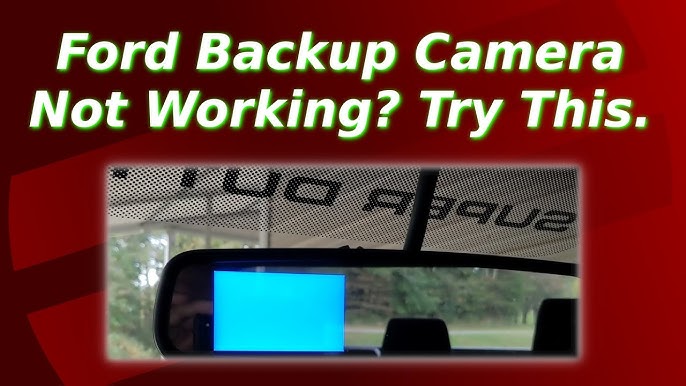
Test the backup camera system regularly. Turn the camera on and check the screen for clear images. Listen for unusual sounds or errors. Check fuses and connectors for damage or looseness. Reset the system if you see error messages to fix glitches.
Credit: www.youtube.com
When To Seek Professional Help
Knowing when to seek professional help with your Ford F-150 backup camera is important. Some issues are simple to fix at home. Others require expert skills and tools. Acting promptly can save time and prevent further damage. This section explains key signs that show it is time to visit a professional.
Persistent Problems After Diy Fixes
If your backup camera still fails after checking fuses and cleaning connections, seek help. Persistent issues often mean deeper problems. DIY fixes may not address faulty wiring or internal camera damage. Avoid guessing and risking more damage. A professional can find hidden faults quickly and fix them properly.
Advanced Diagnostic Tools
Professionals use special tools to diagnose backup camera issues. These tools read error codes and test camera signals. They detect problems that are invisible to the eye. Without these tools, finding the exact issue is hard. Expert technicians can repair software bugs and hardware faults efficiently.
Warranty And Dealer Support
Check if your Ford F-150 backup camera is under warranty. Repairs covered by warranty should be done by authorized dealers. Dealer support ensures genuine parts and expert service. Trying unauthorized repairs can void your warranty. Professionals provide reliable service and protect your vehicle’s coverage.

Credit: www.f150forum.com
Frequently Asked Questions
What Year Ford Cameras Are Being Recalled?
Ford recalls backup cameras in 2021 and 2022 model-year vehicles due to software and hardware issues affecting camera functionality.
Why Is My F150 Back Up Camera Not Working?
Your F150 backup camera may not work due to a blown fuse, dirty lens, damaged wiring, or software glitches. Check and clean connectors, inspect wiring, and reset the system. Persistent issues might require professional diagnosis or camera module replacement.
Is There A Recall On Ford F150 Backup Cameras?
Some Ford F-150 models had backup camera recalls due to software glitches. Dealers provide free updates or repairs. Check with Ford for your specific model.
What Is The Problem With Ford Rear View Camera?
Ford rear view camera problems stem from software glitches, wiring faults, or faulty camera modules. Clean connections, reset SYNC, or update software to fix. Recalls offer free updates for some models.
Why Is My Ford F-150 Backup Camera Not Working?
Common causes include blown fuses, dirty lenses, damaged wiring, or software glitches.
Conclusion
Ford F-150 backup camera problems often come from simple issues. Dirty lenses, loose wiring, or blown fuses cause most failures. Cleaning the camera and checking connections can restore function. Sometimes, a system reset or software update helps fix errors. Persistent problems may need professional diagnosis or part replacement.
Regular maintenance keeps the backup camera reliable and safe. Stay alert to any signs of malfunction for timely repair. This ensures your Ford F-150 backup camera works well every time.