

If you drive a Ford F-150, you rely on your backup camera to keep you safe when reversing. But what happens when your backup camera starts acting up or stops working altogether?
Suddenly, backing up becomes stressful and risky. You might see a blank screen, a fuzzy image, or no image at all. These problems don’t just disrupt your driving—they can put you and others in danger. You’ll learn why your Ford F-150 backup camera might be failing, how to identify common issues, and what simple steps you can take to fix them.
Keep reading to regain confidence and safety every time you shift into reverse.

Credit: www.cjponyparts.com
Common Causes
The Ford F-150 backup camera may stop working due to several common issues. These problems can cause the camera to show a black screen or no image at all. Understanding these causes helps with quick diagnosis and repair. Below are the main reasons why your backup camera might fail.
Blown Fuse
A blown fuse often causes the backup camera to stop working. It results in a blank or black screen. The fuse protects the camera’s electrical circuit from overload. If it blows, power to the camera cuts off instantly.
Check the fuse box under the hood or inside the cabin. Find the fuse labeled for the backup camera. Replace a blown fuse with one of the same rating. This simple fix restores power and camera function.
Wiring Issues
Wiring problems are common in backup camera failures. The wires near the tailgate may get damaged or loosen over time. Corrosion or loose connectors break the electrical connection.
Inspect the wiring harness carefully. Look for cuts, frayed wires, or loose plugs. Clean any corroded connectors. Applying dielectric grease helps protect wires from moisture. Secure all connections tightly to restore signal flow.
Faulty Camera Module
The camera module itself can fail due to age or damage. Exposure to weather, dirt, or physical impact may cause internal faults. A defective camera will not send any image to the display.
If other fixes don’t work, the camera module may need replacement. Check the camera and its connector for corrosion or damage. Make sure the new camera fits your F-150 model perfectly.
Software Glitches
Software glitches in the vehicle’s system can disrupt the backup camera. This causes errors like a black screen or frozen image. Sometimes, the system needs a reset or update.
Restart your vehicle’s infotainment system or disconnect the battery briefly to reset. Check for software updates from Ford. Updating the system can fix bugs affecting camera performance.
Dirty Lens
A dirty or blocked camera lens can prevent a clear image. Dust, mud, snow, or water droplets blur the view. This makes the backup camera appear faulty even if it works.
Clean the camera lens regularly with a soft cloth. Avoid using harsh chemicals that can damage the lens. Keeping the lens clear ensures a sharp and reliable image.
Quick Fixes
Backup camera problems on the Ford F-150 can cause safety concerns. Many issues have quick fixes. These fixes often save time and money. Most of the time, you do not need special tools or skills. Below are simple steps to restore your backup camera’s function.
Replacing The Fuse
A blown fuse often stops the backup camera. Find the fuse box under the hood or inside the truck. Check the fuse labeled for the backup camera. If the fuse is burnt or broken, replace it with one of the same rating. This fix is quick and easy.
Inspecting And Repairing Wiring
Wiring problems cause many camera failures. Look at the wiring near the tailgate for damage or loose connections. Wiggle the wires gently to find loose spots. Clean connectors with a cloth and apply dielectric grease to keep moisture out. Repair or replace damaged wires as needed.
Swapping The Camera Module
The camera module can fail from weather or impact. Check the camera for cracks or corrosion on connectors. If damaged, replace the camera with a new, compatible module. Make sure the new camera fits securely and connects well.
Resetting The System
Software glitches may block the camera feed. Reset the system by turning the truck off and on. You can also disconnect the battery for a few minutes to reset the electronics. This simple step can clear errors and restore the camera.
Cleaning The Lens
Dirt and debris on the camera lens blur the image. Use a soft cloth to wipe the lens gently. Clean the lens regularly, especially after bad weather. Keeping the lens clear ensures a sharp, visible image on the screen.
Recall Information
Recall information is important for Ford F-150 owners facing backup camera issues. Recalls help address safety problems and fix defects at no cost. Staying informed ensures your vehicle works correctly and keeps you safe on the road.
Manufacturers notify owners about recalls through official channels. Checking recall status is easy and helps you act quickly if your truck is affected.
How To Check For Recalls
Visit the official National Highway Traffic Safety Administration (NHTSA) website. Enter your truck’s Vehicle Identification Number (VIN) in the search tool. The system shows all open recalls related to your vehicle. You can also check on Ford’s official website using your VIN. Contact your local Ford dealer for help with recall information.
Steps If Your Vehicle Is Affected
First, schedule an appointment with a Ford dealer. The repairs or parts replacement are free under recall. The dealership will fix the backup camera or related systems. Keep all recall notices and repair records for future reference. Follow the dealer’s instructions until the recall service is complete.
Reasons Behind The Recall
The recall often happens due to faulty wiring or camera failure. Electrical issues can cause the backup camera to stop working intermittently. Faulty cameras reduce visibility and increase accident risk. Ford issues recalls to fix these problems and improve vehicle safety. These actions prevent accidents and protect drivers and passengers.
List Of Affected Models
Many Ford F-150 models from recent years have been recalled. Commonly affected model years include 2015 through 2022. Specific trims with advanced camera systems are often targeted. Always check your exact VIN to confirm if your truck is included. The list updates as Ford finds more affected vehicles.
Preventive Tips
Preventing backup camera problems on your Ford F-150 starts with simple daily care. Small efforts can keep the camera working well and avoid costly repairs. Follow these tips to protect your camera and maintain clear visibility.
Regular Lens Cleaning
Keep the backup camera lens clean. Dirt, mud, or water spots can blur the image. Use a soft cloth and mild cleaner to wipe the lens gently. Avoid harsh chemicals that can damage the lens surface. Clean the lens weekly or after driving in bad weather.
Protecting Wiring From Damage
Inspect the wiring for wear or damage often. The wiring runs through the tailgate and rear of the truck. Look for cracks, cuts, or loose connections. Secure loose wires to prevent pulling or rubbing. Use dielectric grease on connectors to stop moisture and corrosion.
Software Updates
Keep your vehicle’s software up to date. Software updates fix bugs that may cause camera errors. Check for updates during regular service visits or use the vehicle’s system menu. Updated software helps the camera and display work smoothly.
Using The Fordpass App
The FordPass app offers helpful tools to monitor your truck’s systems. Use the app to check for alerts related to the backup camera. It can also remind you about maintenance and software updates. Regular app use helps catch problems early.
When To Seek Professional Help
Knowing when to seek professional help for your Ford F-150 backup camera is essential. Some problems require simple fixes, but others need expert care. Acting early can prevent further damage and keep your camera working well.
Trusting a professional ensures a proper diagnosis and safe repair. Below are key signs that it’s time to visit a mechanic or dealership.
Persistent Camera Issues
If your backup camera keeps failing despite basic fixes, professional help is needed. Repeated problems like a blank screen or flickering image may signal deeper issues. Experts can run thorough tests to find the exact cause.
Complex Wiring Problems
Backup cameras rely on wiring that can get damaged or corroded. Complex wiring issues require special tools and knowledge. A professional can inspect connections, repair damaged wires, and ensure the system is safe to use.
Recall Repairs
Ford occasionally issues recalls for backup camera defects. If your F-150 is part of a recall, only authorized service centers can perform the fix. Checking for recalls can save you time and money on repairs.

Credit: www.youtube.com
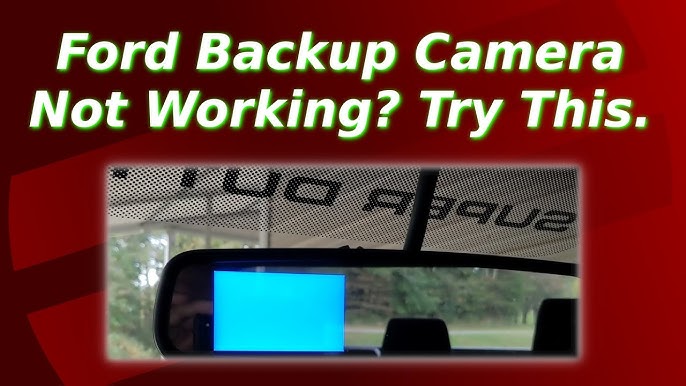
Credit: www.youtube.com
Frequently Asked Questions
Why Is My F150 Back Up Camera Not Working?
Your F150 backup camera may not work due to a blown fuse, damaged wiring, a faulty camera, software glitches, or a dirty lens. Check these components and clean the lens to restore functionality.
Is There A Recall On The Ford Backup Camera?
Yes, some Ford models have a recall for backup cameras due to software glitches causing display issues. Check Ford’s recall page or use the FordPass app with your VIN. Contact a Ford dealer for a free software fix if affected.
What Is The Problem With Ford Rear View Cameras?
Ford rear view cameras often fail due to blown fuses, damaged wiring, faulty camera modules, dirty lenses, or software glitches. These issues cause blank or distorted screens and intermittent operation. Regular inspection and cleaning can help, while some models may require recalls or dealer software updates to fix camera problems.
How Much To Fix A F150 Backup Camera?
Fixing an F150 backup camera typically costs between $100 and $400. Costs vary by issue: fuse replacement, wiring repair, or camera replacement. Software updates or cleaning the lens might cost less or be free. Dealership repairs tend to be pricier than DIY or local shops.
Why Is My Ford F-150 Backup Camera Not Working Intermittently?
Intermittent issues often come from loose wiring or a faulty fuse in the backup camera system.
Conclusion
Backup camera issues in the Ford F-150 often stem from simple problems. Checking fuses and wiring saves time and money. Cleaning the lens can restore a clear image quickly. Sometimes, replacing the camera module becomes necessary. Software glitches may require a system reset or update.
Staying aware of recalls keeps your vehicle safe and up-to-date. Regular checks prevent surprises and ensure the camera works well. Taking these steps helps maintain your truck’s safety features. Keep your backup camera reliable for safer driving every day.